Time and Sales
The Time & Sales widget displays all real-time and historical trades that occur for select instruments and provides details for each trade including date, time, price, and quantity.
Features
- Configurable set of columns from 13 available.
- Custom table functions:
- column selection menu,
- column reordering,
- column resizing,
- column filtering,
- column sorting.
- Supports displaying all trades, not just valid ones.
- Integrated Symbol Search.
Showcases
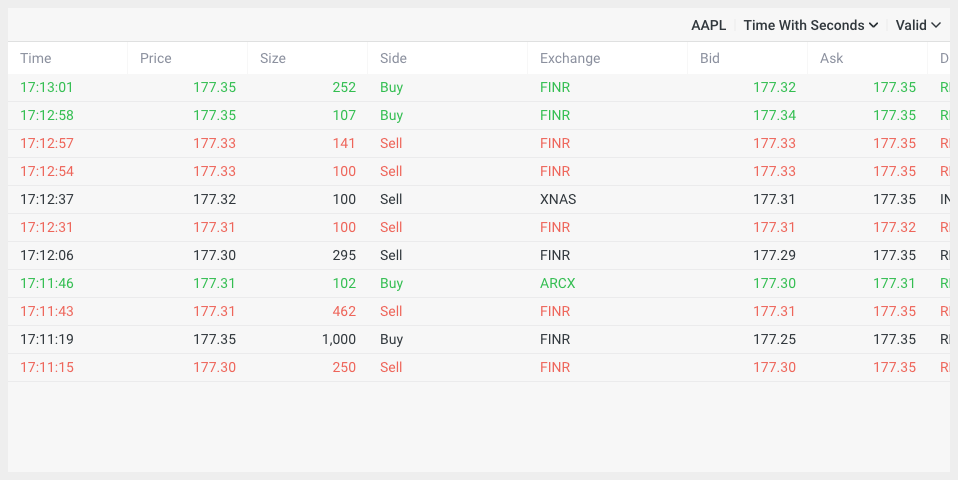
Selected symbol
Main widget view with a selected symbol.
Unspecified symbol
If no symbol is specified, the widget will display its initial state.

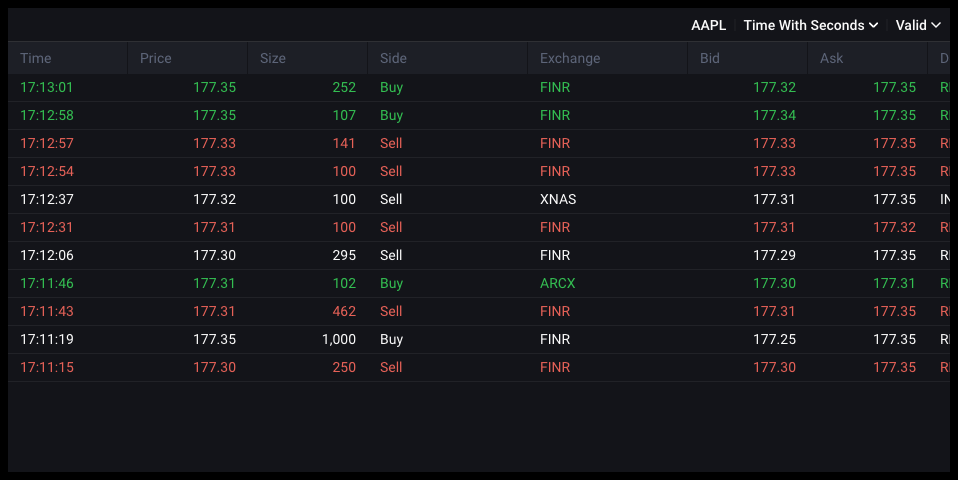
Dark mode
By default, widgets support dark and light themes, though it's also possible to create a custom theme.
Setup
Installation
The widget is distributed both via a CDN and as an NPM package.
- npm
- Yarn
- pnpm
- Bun
npm i @dx-display/widgets-time-and-sales
yarn add @dx-display/widgets-time-and-sales
pnpm add @dx-display/widgets-time-and-sales
bun add @dx-display/widgets-time-and-sales
CDN Link: https://path-to-cdn/widgets/time-and-sales.js
Refer to this guide for instructions on utilizing our CDN bundle.
Configure DataProviders
The Time and Sales widget requires you to have access the following dxFeed Data Providers:
const dataProviders = {
  ipfPath: '/your-path/ipf',
  ipfAuthHeader: 'your-header',
  feedPath: 'wss://your-path/feed',
  feedAuthHeader: 'your-header',
  schedulePath: '/api/schedule',
}
If you don't have access to these data providers, please contact dxFeed team.
Code example
Below, you'll find a code example demonstrating widget integration, utilizing only the essential parameters. Refer to the widget API section for comprehensive details on all available options.
Show code!
import { newTimeAndSalesWidget } from '@dx-display/widgets-time-and-sales'

const dataProviders = {
  ipfPath: '/your-path/ipf',
  ipfAuthHeader: 'your-header',
  feedPath: 'wss://your-path/feed',
  feedAuthHeader: 'your-header',
  schedulePath: '/api/schedule',
}
// make sure that next element exist in your DOM
const container = document.getElementById('widget')
container.style.height = '600px'
container.style.width = '800px'

const widget = newTimeAndSalesWidget({
  element: container,
  providers: dataProviders,
})
Configurator
API
Please refer to the links below for a comprehensive list of all parameters available for the described widget.